
How to Manage Negative Comments on Instagram Without Hurting Engagement
You post something on Instagram. The likes start coming in. Then you notice one comment: “Honestly, this didn't work for me.” Your first instinct might be to delete it—but should you?
Not necessarily. A negative comment can be uncomfortable, but it can also be useful feedback, the beginning of a genuine conversation, or a customer-service opportunity.
The real problem isn't negative comments. It's not knowing what to do with them. Some deserve a response, some need to move to DMs, some should be reported or hidden, and some are simply honest opinions.
The goal isn't to create a comment section where everyone agrees with you. It's to manage criticism without silencing genuine engagement.
Why Negative Comments Deserve a Thoughtful Response
Your Instagram comments are public. A negative comment isn't only seen by the person who wrote it—potential customers, followers, and existing customers can see it too. But they can also see how your brand responds.
Imagine a customer comments, “I've been waiting for my order for two weeks.” If the comment disappears, the customer feels ignored and other followers may wonder why it was removed.
If the brand responds, “We're sorry about the delay. Please DM us your order number and we'll look into this for you,” the same negative experience becomes an opportunity to demonstrate that the brand listens.
Sometimes the response matters more than the criticism itself.
First, Understand What Kind of Negative Comment You're Seeing
Not every unpleasant comment should be handled the same way. Before taking action, ask what the comment is actually telling you.
Genuine feedback such as “I liked the product, but I found the setup confusing” is useful criticism. Respond and learn from it. A customer complaint such as “My order hasn't arrived yet. Can someone help?” needs support and may need to move to DMs.
Spam or promotion such as “Buy 10,000 followers! DM me now!” isn't meaningful engagement and can be hidden, removed, or reported according to your moderation policy.
Comments containing harassment, threats, or clearly abusive content don't contribute to a healthy conversation and may need stronger moderation. Avoid treating all four categories as the same thing—context matters.
- 1. Genuine Feedback: Respond and learn from useful criticism
- 2. Customer Complaint: Acknowledge the issue and move to DMs when appropriate
- 3. Spam or Promotion: Hide, remove, or report it according to policy
- 4. Abusive or Harmful Content: Apply stronger moderation when needed
Should You Delete Negative Comments?
The answer is: not automatically. If someone is expressing a genuine opinion or complaint, deleting it can make the situation worse.
Consider responding when the person has a legitimate concern, you can provide useful information, the issue can be resolved, other followers may benefit from the answer, or the conversation gives you valuable feedback.
Hiding or removing a comment may make sense when it is spam, repeated promotional content, irrelevant, abusive, harassing, or clearly harmful to the community.
Don't moderate based only on whether a comment is positive or negative. Moderate based on whether it contributes to a healthy conversation.
- Respond when: The concern is legitimate, useful information can help, or the issue can be resolved
- Respond when: Other followers may benefit from the answer or the feedback is valuable
- Hide or remove when: The comment is spam, repeated promotion, irrelevant, abusive, harassing, or harmful
How to Respond to Negative Comments Without Making Things Worse
The worst response to criticism is usually a defensive one. “That's not our fault. You clearly didn't understand the product” can escalate the conversation even if you believe you're right.
Instead, use a simple structure: Acknowledge → Clarify → Help.
If someone says, “I've tried this three times and it doesn't work,” respond with: “Sorry you're having trouble with it. We'd love to understand what happened. Could you DM us the details so our team can help?”
You're not admitting fault before understanding the situation. You're simply showing that you're willing to help.
- Acknowledge: Show that you heard the concern
- Clarify: Ask for the context needed to understand it
- Help: Offer a useful next step or move the conversation to support
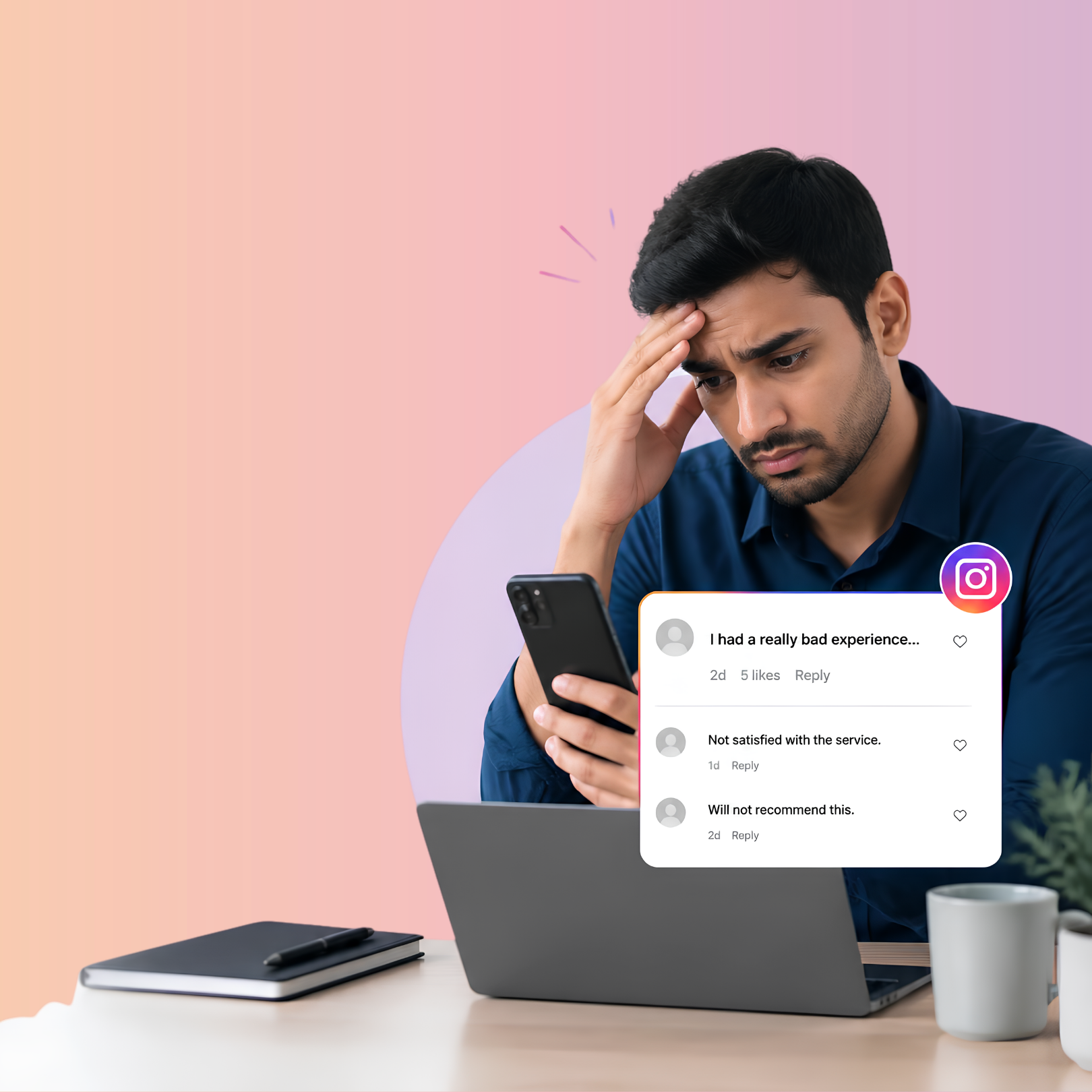
5 Things to Avoid When Responding to Negative Comments
Your response is part of your brand experience. These five habits can turn a manageable criticism into a larger reputation problem.
- 1. Don't argue publicly: A public argument can become more visible than the original complaint
- 2. Don't copy-paste a generic response: “Sorry for the inconvenience” can feel dismissive when used for everything
- 3. Don't immediately blame the customer: Explain a misunderstanding instead of accusing them
- 4. Don't ignore genuine complaints: Silence can make people feel unheard
- 5. Don't delete criticism just because it's uncomfortable: A legitimate complaint isn't automatically a reputation threat
When Should You Move the Conversation to DMs?
Not every problem needs to be solved publicly. If a customer needs to share an order number, personal information, account details, specific troubleshooting information, or a detailed complaint, move the conversation privately.
A simple public response can say: “We're sorry you're dealing with this. Please send us a DM with your order details and we'll take a look.”
Publicly, you acknowledge the issue. Privately, your team can actually solve it. Don't hide the problem—move the detailed conversation to the right place.
- An order number
- Personal information
- Account details
- Specific troubleshooting information
- A detailed complaint
What About Negative Comments That Are Actually Spam?
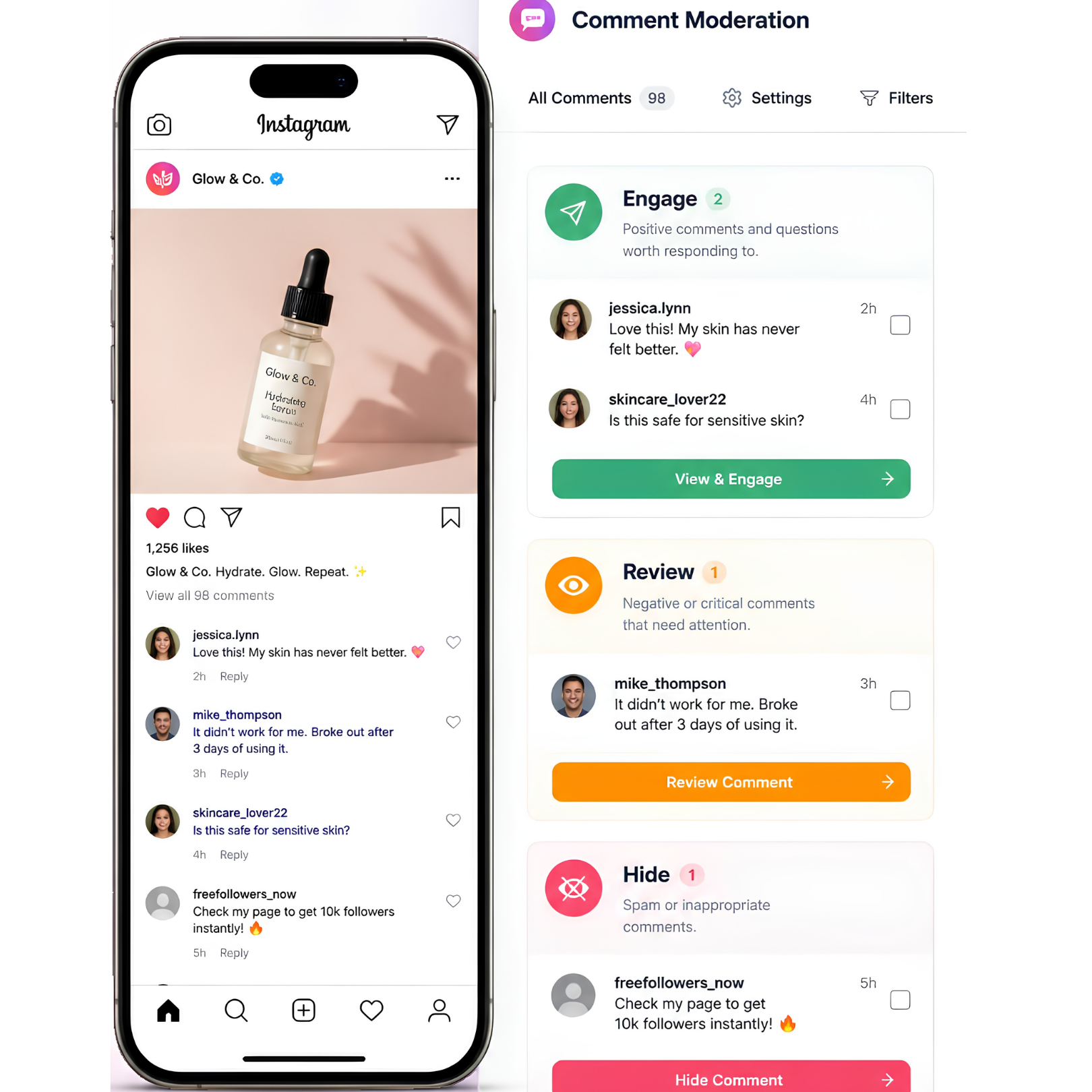
This is where automation can make a big difference. Imagine your Reel gets 500 comments, including praise, product questions, link requests, and messages such as “BUY FOLLOWERS NOW!!!” or “DM ME FOR CRYPTO!!!”
Manually identifying every irrelevant comment can take hours, but repetitive spam often has recognizable patterns.
Automated comment moderation can apply rules around specific words, phrases, or types of activity and reduce the repetitive moderation your team has to do.
Let automation handle predictable noise so your team can focus on real people.
Don't Let Moderation Kill Your Engagement
If moderation becomes too aggressive, your comment section can start feeling empty.
You don't want to remove comments such as “I disagree, but here's why…”, “Has anyone else experienced this?”, “Can you explain this part?”, or “I tried this and here's what happened.” These comments create conversation even when they aren't completely positive.
A healthy comment section doesn't have to look perfect. It should look real. People should feel comfortable asking questions, sharing experiences, and giving feedback.
Moderation should remove harmful noise—not genuine opinions.
How Sentiment Can Help You Decide What Needs Attention
As your audience grows, manually reading every comment becomes increasingly difficult. Sentiment analysis can help organize conversations.
A positive comment might say, “This is exactly what I needed!” A negative comment might say, “I had a bad experience with this.” A question could ask, “Does this work for small businesses?” Spam might say, “Buy followers from my page!”
Instead of treating every comment identically, your team gets a clearer picture of what's happening. Negative comments can be flagged for review, genuine questions can receive an answer, spam can be handled separately, and positive comments can remain part of the community conversation.
The goal isn't to automate judgment. It's to make judgment easier.
- Positive: Keep valuable community engagement visible
- Negative: Flag criticism or complaints for review
- Question: Route genuine questions toward an answer
- Spam: Handle promotional or irrelevant noise separately
A Smarter Negative Comment Management Workflow
Comment → Understand → Decide → Act → Improve. That's a healthier approach than simply deleting everything you don't like.
- 1. Comment Received: Someone interacts with your post
- 2. Comment Analyzed: Evaluate the content and context
- 3. Comment Categorized: Identify feedback, a question, spam, or abusive content
- 4. Appropriate Action: Respond, hide, report, or leave it visible
- 5. Human Review: Let a team member handle empathy or judgment
- 6. Learn From the Pattern: Use repeated complaints to improve the product, content, or customer experience
How Flozari Can Help
Flozari can help businesses manage growing Instagram comment sections without requiring every comment to be handled manually.
With Sentiment Analyzer, AI-Powered Replies, and Auto-Hide Comments, repetitive moderation tasks become easier to manage.
A genuine complaint such as “My order still hasn't arrived” can be flagged for human attention. A genuine question such as “How much does this cost?” can receive a relevant reply or DM. Spam can be hidden or moderated automatically, while positive engagement remains visible and receives attention.
The idea isn't to make your comment section completely automated. It's to make sure your team spends its attention where it matters most.
The Best Comment Section Isn't a Perfect One
A perfectly positive comment section might look great, but it doesn't necessarily look authentic. Real audiences ask questions, disagree, complain, praise, make suggestions, and share experiences.
Your job isn't to eliminate that reality. It's to create a space where genuine conversations can happen without being drowned out by spam, abuse, or irrelevant content.
Protect your brand. Keep your audience heard. That's the balance good Instagram comment management should create.
Ready to Manage Your Instagram Comments Smarter?
As your Instagram grows, manually monitoring every comment becomes harder. Flozari helps automate repetitive comment management while keeping important conversations human.
The goal isn't to eliminate negative comments. It's to handle them intelligently.
- Not every negative comment should be deleted
- Genuine criticism can demonstrate good customer service
- Spam and abuse need different treatment from legitimate complaints
- Avoid defensive or generic responses
- Move sensitive or complex conversations to DMs
- Use sentiment analysis to organize comments by type and priority
- Use automation to reduce repetitive moderation—not silence genuine engagement
- Use comment patterns to understand what your audience needs
What Comes Next
Instagram Comment Moderation: How to Protect Your Brand Without Losing Engagement takes the broader view—how to build a scalable moderation system for your entire Instagram comment section, not just how to respond to negative feedback.
Don't miss the conversation. Don't miss the customer.
Protect your brand while keeping genuine Instagram conversations open.
Start managing comments smarterContinue reading
More Instagram automation guides

6 min read
Instagram Comment Moderation: From Negative Feedback to Customer Conversations
Read article
6 min read
How to Scale Instagram Customer Support Without Growing Your Team
Read article
7 min read