

Instagram Automation for Creators: Save Time Without Sounding Like a Bot
You post a Reel. The comments start rolling in: “Link?”, “How did you make this?”, “Can you send me the guide?”, and “Where can I buy this?” Replying is easy at first.
Then 20 comments become 100. One hundred becomes 300. Suddenly, you're spending more time answering the same questions than creating the content that brought people there in the first place.
That's where Instagram automation can help. But there's a catch: automation should save your time—not erase your personality.
The goal isn't to make every conversation automatic. It's to make the repetitive parts automatic so you have more time for the conversations that actually need you.
What Instagram Automation Actually Means for Creators
Instagram automation is simply using workflows to handle repetitive actions triggered by comments, DMs, keywords, or other interactions.
For creators, one of the most useful examples is comment-to-DM automation. You create a Reel and say, “Comment GUIDE and I'll send it to you.” Someone comments GUIDE. Instead of manually finding the comment, opening their profile, and sending the same message, an automation can deliver the promised resource through DM.
The important part is that the creator still decides what triggers the automation, what the person receives, how the message sounds, and what happens next. In other words, you create the experience. Automation handles repetition.
- What triggers the automation
- What the person receives
- How the message sounds
- What happens next
Don't Automate Everything
This is probably the biggest mistake creators make. Just because something can be automated doesn't mean it should be.
Think of automation as your first line of support, not your replacement. The best creator workflows handle predictable questions while leaving room for genuine conversations.
- Great to automate: Repeated questions, lead magnet delivery, product or resource links, giveaway instructions, waitlist information, launch reminders, simple FAQs, and keyword-based DM responses
- Keep human: Brand collaborations, sponsorship enquiries, complex customer questions, high-value leads, sensitive conversations, and personal messages from your community
The Secret to Not Sounding Like a Bot
Here's the part that matters most: don't automate before defining your voice.
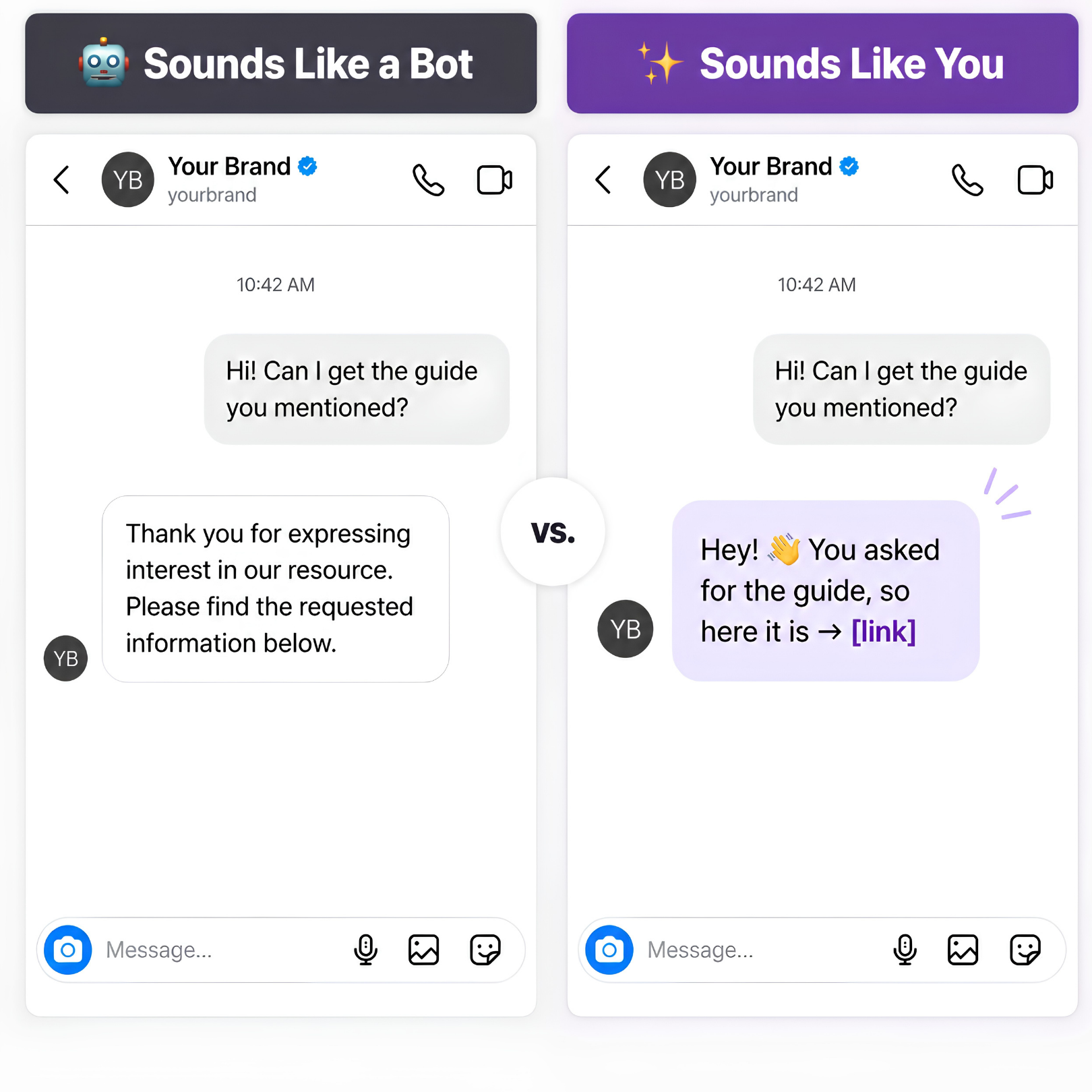
If your usual Instagram personality is “Heyyy! Here's the guide 💕” and your automated DM suddenly says, “Dear User, thank you for expressing interest in our requested resource,” your audience will notice immediately.
Before building your automation, define a few simple voice rules: how you greet people, whether your writing is short, casual, educational, playful, or professional, which emojis or punctuation you use, and which corporate or overly promotional phrases you avoid.
Robotic: “Thank you for your interest. Please find the requested resource below.” Creator-style: “Hey! 👋 You asked for the guide, so here it is → [link].” Same job. Completely different feeling.
Use Automation to Start Conversations, Not End Them
A DM shouldn't always be the finish line. It can be the beginning of the next step.
Imagine you're a fitness creator. Your Reel says, “Comment PLAN and I'll send you my beginner workout plan.” Someone comments PLAN. The automation sends: “Hey! 💪 Here's the beginner plan I promised: [link]. Want me to help you pick the right version for your goal?”
Now you've moved from Comment → DM → Conversation instead of simply Comment → Link. That difference matters.
A good automation workflow doesn't just deliver information. It helps people move toward the next useful action—whether that's downloading a resource, joining a waitlist, booking a call, checking a product, or starting a conversation.
3 Creator Workflows Worth Automating
You don't need 20 complicated workflows. Start with three.
The lead magnet flow works well for e-books, checklists, templates, guides, free courses, and tutorials: Reel → “Comment GUIDE” → Automated DM → Resource. This removes repetitive link-sharing from your inbox.
The product interest flow works for products, courses, and digital products: Post → “Comment LINK” → DM → Product page. Simple triggers such as PRICE, LINK, DETAILS, and COURSE are easier for your audience to use.
The FAQ flow handles questions you answer every week, such as where you're based, which camera you use, how much a course costs, or when the next batch starts. Keep the replies short, useful, and true to how you actually speak.
- 1. The Lead Magnet Flow: Deliver e-books, checklists, templates, guides, free courses, or tutorials
- 2. The Product Interest Flow: Send interested followers to a product, course, or digital offer
- 3. The FAQ Flow: Answer recurring questions with short, useful replies
Make Your Automation Feel Human
A few small changes can make a big difference. Keep messages short—nobody wants a 500-word DM after commenting “GUIDE.” Deliver the value first.
Write like you speak. Read the message out loud, and if you wouldn't say it to a follower, rewrite it. Give one clear next step instead of five links and three calls to action.
Personalize where it matters by using the context of the interaction. Someone who commented PRICE shouldn't receive a generic “Thanks for reaching out!” message.
Review your flows regularly. Automation isn't set-and-forget. Check messages from the user's perspective and ask: Would I actually want to receive this? If the answer is no, change it.
The Creator-Friendly Automation Formula
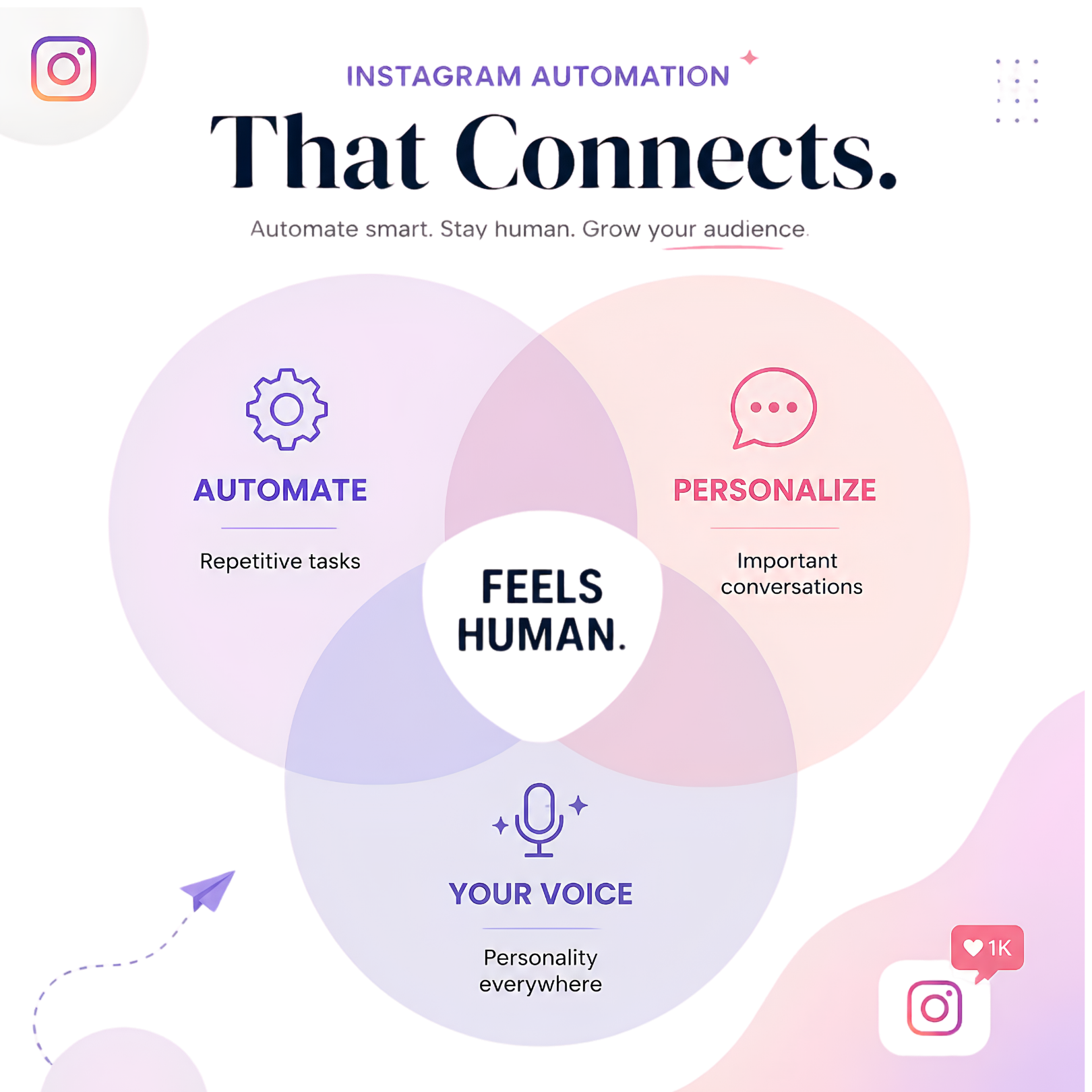
If you want to keep your Instagram automation simple, remember this: automate the repetitive, personalize the important, and keep your voice everywhere.
That's what makes automation feel less like a bot—and more like a smarter version of your workflow.
With tools like Flozari, creators can build comment, DM, and keyword-based workflows that respond to audience interactions while keeping the experience aligned with their brand voice.
- Automate the repetitive: Let workflows handle predictable requests
- Personalize the important: Keep context-rich and high-value conversations human
- Keep your voice everywhere: Make every automated reply sound consistent with your brand
Ready to Spend Less Time in Your DMs?
Your audience shouldn't have to wait hours for something you already promised them.
Turn repetitive Instagram interactions into simple automated workflows—and keep your time focused on what actually matters: creating, connecting, and growing.
The goal isn't to sound automated. The goal is to make automation sound like you.
- Automate repetitive questions—not every conversation
- Define your creator voice before creating automated replies
- Use comment-to-DM workflows to deliver resources instantly
- Keep important, high-value conversations human
- Use DMs to move followers toward a useful next step
- Review your automation regularly to keep it natural
Don't miss the conversation. Don't miss the customer.
Turn your Instagram conversations into your next growth opportunity.
Get started freeContinue reading
More Instagram automation guides
6 min read
5 Signs It's Time to Automate Your Instagram DMs
Read article
6 min read
How to Manage Negative Comments on Instagram Without Hurting Engagement
Read article
6 min read